100 Days in the Books: Your All-in-One Digital Cut File for Celebrating Milestones
Reaching the 100th day of school is more than just a calendar check—it’s a meaningful milestone. Students count, teachers plan, and classrooms buzz with pride. Whether you're a teacher prepping classroom decor, a parent crafting a custom t-shirt for your child’s big day, or a small business owner designing limited-edition merchandise, having the right design assets makes all the difference. That’s where 100 Days in the Books comes in—not as a physical product, but as a powerful, versatile digital toolkit built for real-world creativity.
Digital-First Design Built for Real Projects
This isn’t a single-use graphic or a low-res image you’ll struggle to resize. It’s a professionally layered, production-ready Word By Layer Cut File—a digital download only, delivered instantly after purchase. No waiting. No shipping delays. Just immediate access to everything you need to bring “100 Days in the Books” to life across mediums and machines.
The ZIP folder includes six distinct file types—each serving a specific purpose in your creative workflow:
- SVG File (Layered): Optimized for Cricut Design Space and Silhouette Studio. Layers are cleanly separated—letters, icons, and decorative elements—so you can easily hide, recolor, or rearrange parts without guesswork.
- EPS File: A high-fidelity vector format ideal for professional printing services, large-format signage, or vector-based editing in Adobe Illustrator or CorelDRAW.
- PNG File (Print-Ready): Crisp, transparent-background raster image at 300 DPI—perfect for sublimation, digital printing on mugs or tote bags, or adding to Canva layouts.
- DXF File: Compatible with AutoCAD, CNC routers, and many laser cutting software platforms—great for educators running makerspaces or crafters using precision tools.
- AI File: The native Adobe Illustrator source file. Edit paths, adjust gradients, tweak typography, or expand strokes—all with full vector fidelity.
- JPEG File: High-resolution, easy-to-share version for quick mockups, social media posts, or email previews.
Why Format Variety Matters—More Than You Think
You might wonder: *Do I really need all six?* The answer depends on how—and where—you’re creating. A teacher printing class posters may rely heavily on the PNG and SVG. A boutique owner doing sublimation on ceramic mugs will lean into the high-res PNG and layered SVG for precise color separation. A graphic designer preparing files for a local print shop will send the EPS or AI for clean scaling and Pantone matching.
Having every format in one bundle eliminates the frustration of converting files yourself—or worse, discovering mid-project that your chosen file doesn’t scale cleanly or lacks transparency. With 100 Days in the Books, you’re covered whether you’re cutting vinyl for a bulletin board, engraving wood for a keepsake plaque, or screenprinting shirts for an entire grade level.
Designed for Compatibility—Not Compromise
This cut file was built with cross-platform flexibility in mind. It works seamlessly with:
- Cricut Maker, Explore, and Joy—no ungrouping headaches or missing layers.
- Silhouette Cameo and Portrait—tested for accurate registration and clean cut lines.
- Inkscape—open the SVG or EPS without loss of vector integrity.
- Adobe Photoshop and Illustrator—edit, mask, blend, or integrate into larger compositions.
No proprietary lock-ins. No hidden compatibility traps. Just plug-and-play readiness across the most widely used design and cutting platforms today.
From Classroom Walls to Custom Apparel—Real Uses, Real Impact
Let’s talk about what you can actually do with this file—beyond just “cutting.”
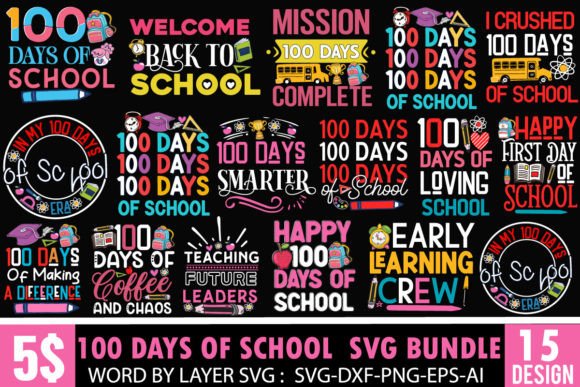
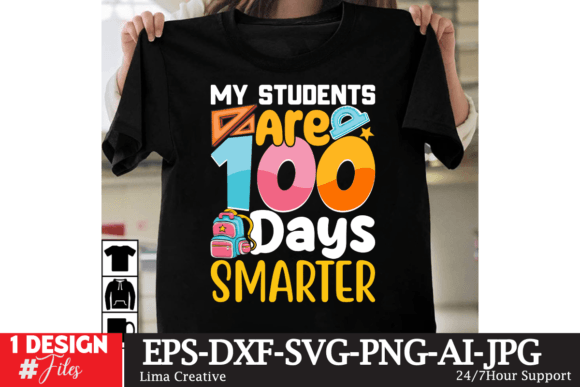
Classroom celebration: Print the rainbow-themed design onto cardstock, cut it out with your Cricut, and mount it on a bulletin board beside student-made 100-item collections. Use the layered SVG to isolate the “100 Days Smarter” phrase and pair it with hand-drawn stars or photos.
T-shirts and hoodies: Upload the PNG to your DTG printer or use the SVG layers to separate colors for screenprinting. The bold, clean lines hold up beautifully—even at 12-inch widths on adult tees.
Mugs and tumblers: Sublimate the design onto ceramic or coated metal using the high-res PNG. The crisp edges prevent bleeding, and the balanced composition centers perfectly on standard mug templates.
Digital learning materials: Drop the JPEG into Google Slides or PowerPoint for virtual celebrations. Annotate the “100 Days Brighter” version during morning meetings—or turn it into an interactive drag-and-drop activity in Nearpod.
What Makes This More Than Just Another “100 Days SVG”?
So many listings offer generic “100 Days of School” graphics—but few deliver intentional design thinking alongside technical polish. This file stands out because:
- Typography is legible at any size—no thin strokes that vanish when cut at 2 inches or printed small on a sticker.
- Color-blocking is intuitive—layers are named and grouped logically (e.g., “Rainbow Arc,” “Number 100 Base,” “Banner Shadow”), not randomly stacked.
- No hidden fonts or linked assets—all text is converted to outlines in vector files, so what you see is what you get, no matter the software.
- Optimized for both light and dark substrates—the layered structure lets you invert colors or add drop shadows without redesigning from scratch.
Perfect for Teachers, Parents, Makers—and Small Creative Businesses
If you’re a teacher, this saves hours. No more hunting for free graphics that pixelate when enlarged, or paying for subscriptions just to access one usable file. With 100 Days in the Books, you get classroom-ready assets in seconds—not days.
If you’re a parent helping your child prepare for show-and-tell or a class parade, you can cut iron-on vinyl for a shirt, print a certificate, or even laser-cut a wooden “100 Days” medal—all from the same trusted source file.
And if you run a small shop selling school-themed merch? This file scales with you. Use the AI file to create variations—swap “Smarter” for “Brighter,” add your shop logo in the corner, or adapt the rainbow arc into a border for other school milestones. It’s not just a design—it’s a customizable foundation.
A Note on What This Is—and Isn’t
This is a DIGITAL DOWNLOAD ONLY. There is no physical item. No USB drive. No printed poster shipped to your door. What you receive is a ZIP folder containing ready-to-use digital files—designed to be opened, edited, cut, printed, and shared. That means instant access, zero shipping costs, and the freedom to use it again next year—or next decade—with no expiration.
It’s also worth noting: this file supports multiple interpretations of the milestone—“100 Days of School,” “100th Day of School,” “100 Days Smarter,” “100 Days Brighter,” and more. The layered approach means you’re not locked into one phrase. You can toggle visibility, combine elements, or build entirely new compositions grounded in the same cohesive visual language.
Getting Started Is Simpler Than You Think
After purchase, you’ll receive an email with a secure download link. Click once. Extract the ZIP. Open the file type that matches your tool—and go. No installation. No account sign-ups. No watermarks. Just clean, professional-grade assets waiting for your next idea.
Whether you’re planning a kindergarten celebration or launching a back-to-school collection for Etsy, 100 Days in the Books gives you the flexibility, quality, and speed modern creators expect—and deserve.